Why can’t we speed run quantum computing fundamentals in 10min a day?
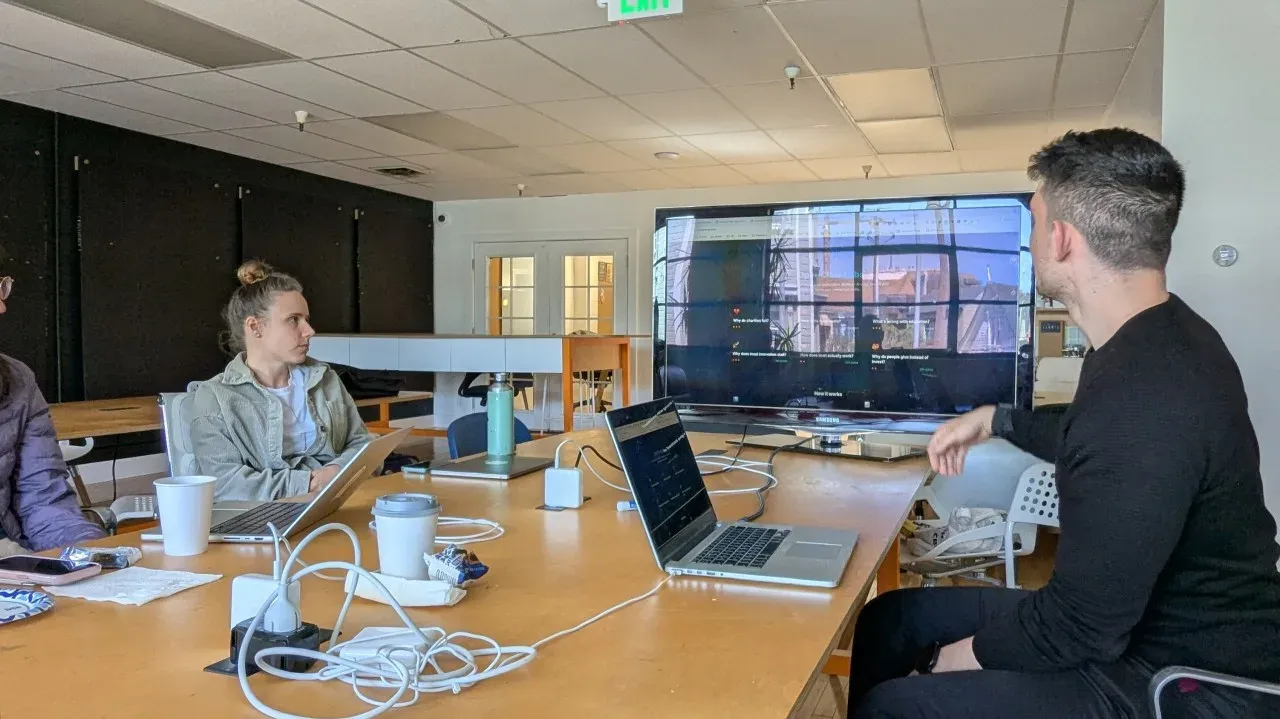
That’s the question that kicked off us hosting this open build in SF at Worldwide Studios.
We helped founders, engineers, and researchers spawn their first OpenClaw agent to explore what’s possible. If you want to hear an initial skeptic turned OpenClaw user who now has 9 agents running, check out Claire Vo sharing her journey on Lenny’s Newsletter.
from: openclaw.ai
Alongside being open source, here’s what sets OpenClaw apart: 🦞 It’s fun. Part of the onboarding is setting up its personality. And it’s interesting how important this is for the experience of working with an agent.
You can text it. Any channel: Telegram, WhatsApp, Slack, Discord, etc.
There’s a whole open source ecosystem of skills, tools, and apps for OpenClaw.
Some examples to check out to see what’s possible with OpenClaw:
-
Nat Eliason’s Felix agent made $60k by building a Skills market place app in its first 30 days. More in this interview here.
-
People have made QuantClaws that have made $300k+ in Polymarket arbitrages.
-
There’s even LabClaw, an open source set of scientific skills, with first ClawInstitute for research collabs between agents, and a ClawConference for agents to share findings.
And if you’re looking for education inspiration specifically, check out Jesse on X. She’s homeschooling her kids and building new solutions with OpenClaw sharing her journey along the way.
Setting up OpenClaw on DigitalOcean
There’s so much opportunity for how OpenClaw can help augment, accelerate, and change the status quo in education. Truly personalized tutor experiences are a few clicks away. New solutions are as simple as a series of voice notes over Telegram. The top two blockers are set up and security. For set up, we encouraged people to use DigitalOcean’s Droplet. They even have a 1 click install for $12/month.
You can set up a chat assistant next to you to walk you through the process if you get stuck. Having a chat agent search the web enables the most up to date information, as there are updates weekly in the space.
Screenshot of Digital Ocean Droplet Console set up next to walkthrough chat.
Use this prompt: *Please help me set up a new OpenClaw agent with * *Digital Ocean Droplet. My understanding of this is * *<COMPLETE BEGINNER, LIGHT USER, etc> so explain it to * *me like I’m <10, HS STUDENT, COLLEGE, JR. ENGINEER>. * *We’re starting from scratch, and I’ll need step by * *step help. Search the web so we have the most up to * date information. Make the step by step guide.
From there you can ask follow up questions and send screenshots to get your questions answered.
Once you have an OpenClaw agent running, there are multiple paths to building.
-
The OpenClaw agent is the solution, like a personalized tutor.
-
You use your OpenClaw to design skills and tools for other agents to level up or help work with their human to level up.
-
Use your OpenClaw as a codegen agent and design new solutions: hardware or software.
Here’s an example of each three from our SF build. Everyone had 2hrs to set up and build to demo their first proof of concept.
Three projects that got built
1. Agent as solution: Ted, the ZX Calculus quantum computer tutor
Ted is a personalized tutor with a ZX Calculus curriculum (h/t Shuxiang Cao for the inspiration!). He helps explain complex topics to anyone of any age using diagrams generated by Gemini Nano Banana Pro 2. He send a diagram, explains it in a text chat, and then asks the user to draw it. They can sketch it, whiteboard it, or digitally draw it.
Once he gets their drawing, he gives feedback for their understanding, and then asks for an explanation. Feynman tutor style.
After going through a couple days of these modules, I can say it’s really fun. Never been easier to learn complex topics faster than a Duolingo lesson.
One thing I found interesting around OpenClaw is it can also update its own source code. So in the middle of a tutor session if something is not quite right, I can just ask it to update and restart. Both the software layer and virtual computer it’s hosted on becomes so interactive.
Builder: Michael Raspuzzi
2. Probability and statistics tutor through agent skills
The most engaging experience was the multiplayer probability module. It felt like a souped up Kahoot.
Sasha started by putting people on the spot with asking them probability for someone having the same birthday in the room, when the room has 2 people, 20 people, and 50 people. Most people don’t have a good intuition for it and the social competition made it fun.
From there, there were visuals and a breakdown explanation for why it was that way.
Their goal was explore how to make this a multiplayer application so people can participate from their own OpenClaw agents.
Builders: Oleksandra Pariy Yichen Guo
3. Social impact platform inspired by David Deutsch’s framework for knowledge
David Deutsch has an interesting metascience framework in his book The Beginning of Infinity. Panos used that to generate an idea generation game to solve large impact problems in the world like poverty, access to healthcare, supply chain and more.
The real takeaway was the proof of concept was up and running in less than 10minutes. It was harder to set up the agent than work with the agent to design a new idea.
Builder: Panos Kokmotos
Security concerns
Here’s what we shared with people getting started: 1. Have it set up on its own machine. That way it won’t delete or reveal sensitive files or credentials. We recommend DigitalOcean Droplets as they were cheapest and fastest to set up. People have also set up PicoClaws on Raspberry Pis or OpenClaws on old laptops and Mac Minis.
-
Onboard it like a new employee. You don’t hand your new employee all your passwords, so why would you do that for your OpenClaw agent? First, give it read access, not write access. And for things like email, create it’s own custom Gmail account. That way if anything unexpected happens, it’s sandboxed.
-
Watch out for poisoned skills (supply chain via ClawHub) - run openclaw security audit before you use any skills from the internet.
-
Dependency poisoning (LiteLLM is the big one) - use latest version. it was patched within hours.
-
Exposed public ports & no authentication - a Shodan scan discovered nearly a thousand publicly accessible OpenClaw installations running without any authentication whatsoever
Be sure to do your own research. Here’s a thread to get you started.
What’s next
For OpenClaw tutoring with Ted, I’m personally on day 4 of 18 for intro to ZX Calculus. I’m continuing to build out the experience as well as make sure the modules are legit. Right now I’m using LLM as a judge to evaluate the diagrams and lessons. I really want to test how far I can get the experience to be as seamless on Telegram.
At Worldwide Studios, we’re supporting 15 venture fellows right now like Oleksandra Pariy to build their first prototypes out and find GTM for first paid pilots for our AI in Education Fellowship.
And in SF, we’ll be hosting more of these open builds monthly. Check out our Luma to get the latest.
If you want to collab reach out. We also host virtual builds.
Shout-out to Nate Padgett and Studio 45, a professional hardware studio in the Mission, for making these Open Build sessions possible.
Hi I’m Michael, Founder of Worldwide Studios, helping people build with the latest AI tools and making sense on how they can solve real problems right now.