There are so many “gotchas” when building AI agents that it can get tedious and frustrating feeling like a never ending game of whack-amole.
That’s why building is better in community. Seeing what’s possible, being able to ask questions, and building with others makes for a better experience.
Thanks to the Lindy team, including Marvin Aziz, Flo Crivello, Ethan Kinnan, and others joining to host the third open build night at the Lindy HQ!
First, Lindy’s AI CMO Release
Visual Flow Editor
Lindy is the easiest way to build AI agents. It’s a no code, visual builder that’s like virtual lego blocks to assemble agentic workflows and design custom agents.
The day of this build event in SF, Lindy released their AI CMO suite, three templates that do research, analysis, and create media all in Lindy.
Three different flows available as templates free on Lindy.ai
Research Agent: Your product marketer with limitless focus and time. It dives deep into your business, competitors, and market to build strategy and messaging frameworks.
Analysis Agent: Your growth marketer on demand. It scans thousands of sources for social trends, ads, keywords to find high- ROI opportunities and turn them into professional campaign briefs.
Creative Agent: Your creative director, copywriter, and film crew rolled into one. It turns briefs into ads and copy in minutes, with integrations to the latest models from Sora 2, Veo 3.1, and Imagen.
To make this possible, the newest additions to Lindy are the generate media nodes that include the latest image generation models from Google and Open AI, like Sora 2, Veo 3.1 for video, and nano banana for image.
Ethan demo’d this online with a creative ad generator for some Nike shoes. More here in his launch video.
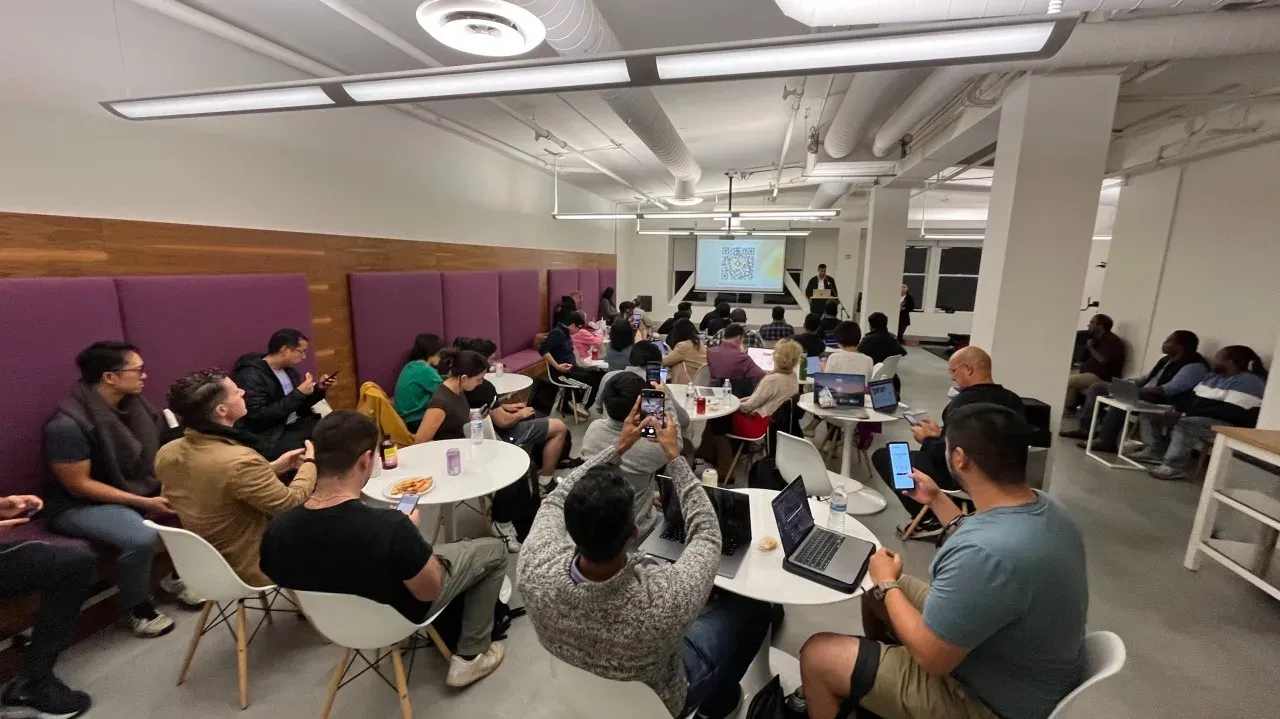
Next, the build night
Working with Marvin Aziz, Lindy’s head of community, we wanted to make sure it was a great experience for all of those joining. So to start we asked people what their experience was with building agents on Lindy as well as what they wanted to build.
LLM classifying all build ideas
Some quick stats:
We had 200+ RSVPs
Over 60% were brand new to Lindy.
A majority of people wanted to build and explore
Open build agenda 30min arrive, mix + mingle
10min intro from Flo, CEO of Lindy
15min of demos, a voice agent, and CMO agent from team
20min getting started on Lindy by Marvin
60min open build with QA and debugging with the team
We planned for demos and ending with an open showcase, but conversations and QA took over. More informal discussions and small group demos lent itself better for an evening experience.
People built their first outbound agents, debate agents, and phone agents all in less than one hour.
Finally, trying out the AI CMO features
I used the CMO research agent on Worldwide Studios to see how useful it can be out of the box. It’s a 50 step flow that starts with a company website and initiates different research flows to create different lengthy reports covering Brand Guidelines, Customer Profiles, Competitor Analysis and more. It cost 1,275 credits to run fully ($12.75).
Overview of the different Google Documents it creates
At first run, it wants to confirm competitors before going deeper. It’s a nice touch to ensure the direction of the output will be relevant. Having read our website, it bucketed us against traditional academic offerings. I gave it feedback to try again to find alternative education offerings, and could see it spinning on trying to find alternatives. At 300 credits, I paused it and started again. The second run, I gave it online professional learning competitors like Coursera, Udacity, and Maven. I could have let it explore more options if I wanted to see what it could discover, but I was more curious to get the full report than spend time and credits on discovering competitor
The main output combines multiple Google Docs into one 29 page brand brief with 14 sections.
Sampled section outputs
The most impressive thing is how it’s able to start with a company URL and generate different kinds of research directions, find information, and format it into an easy to ready report.
Next, I tried the image generation from Ethan’s template earlier to see how easy it was to take an existing product and generate different images. To try this, I found an SF branded candle to see what it would generate.
At first, I gave it the image URL and nothing came out. Then, I realized it was my mistake as I needed to add the image as an attachment. Once that was fixed, it generated interesting images that work as a starting point for great product shots. My favorite was an outdoor shot during sunset with the SF skyline behind it.
AI generated product image
Potential improvements for the AI CMO templates
While the research report ran fully once it had competitors, it could be interesting to update this for more human in the loop if needed, like additional context enrichment with a few questions, or using a voice agent as consultation for more specific information to direct research.
It would also be nice to add in citations for where certain information was coming from, if factual truth is important, like citing data assumptions from web search.
What’s Next?
The energy was too good to keep this only to major product updates. We’re exploring what could be next in SF:
Role specific build nights: RevOps, Marketing, Sales, Customer Support, Chief of Staff
Industry build nights: Real Estate, Healthcare, Finance, Tech Startups
The goal is to get like-minded people in a room for honest conversations over hands on building experiences to see how far AI Agents can go to solve real problems. As the space continues to evolve so quickly, building together in community is a helpful way to stay up to date.
Shout-Outs
A huge thank you to the Lindy team for the collab and co-hosting this!
Flo Crivello for opening up HQ to the community and supporting new builders.
Marvin Aziz for leading the night and making sure the vibes were high.
Ethan Kinnan for helping make it all happen on a major launch day.
The whole Lindy team for staying late answering questions and demoing custom Lindys.
Until next time.
Hi, I’m Michael, founder of Worldwide Studios, where we help people build with the latest in AI. New tools are evolving so quickly, we’re creating the gym-like environment for everyone to keep up through ambitious projects.
Reach out if you want to join a virtual build along, are looking for a custom workshop to bring your team up to speed in what’s possible, or want to collab on a future event.